
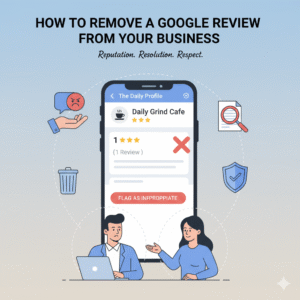
How to Remove a Google Review from Your Business (The 2025 Strategy)
There is nothing more frustrating for a business owner than waking up to a 1-star notification. Whether it’s from a competitor, a disgruntled former employee, or a bot, a fake review feels like a direct attack on your livelihood.
However, Google’s policy is strict: They generally side with the reviewer.
Knowing how to remove a Google review from your business isn’t just about clicking “Report.” It requires understanding Google’s specific “Prohibited Content” policies and knowing how to escalate your case when the automated bots reject you.
This guide covers the official removal process, the hidden “Management Tool,” and the strategy to use when a review simply won’t budge.
Step 1: The “Violation Audit” (Do You Have a Case?)
Before you waste time reporting a review, you must identify why it breaks the rules. Google will not remove a review just because you disagree with the customer’s opinion.
You can only successfully remove a review if it violates one of these specific policies:
- Conflict of Interest: A review from a competitor or a current/former employee.
- Spam/Fake Content: Reviews from bots or profiles that have reviewed 50 businesses in different countries on the same day.
- Off-Topic: A review criticizing your political stance rather than your actual product or service.
- Harassment: content containing slurs, threats, or hate speech.
Note: If you haven’t claimed your profile yet, you cannot manage reviews. Read our guide on How to Make a Google Page for a Business to get verified first.
Step 2: The “Management Tool” Method (Better Than Flagging)
Most people simply click the three dots next to the review and select “Report.” This often goes into a black hole.
In 2025, the smarter way to remove a Google review from your business is using the Google Business Profile Help Tool.
- Go to the official Google “Reviews Management Tool” page.
- Select your business property.
- Select “Report a new review for removal.”
- Why this is better: This tool allows you to check the status of your report. It will tell you if the request is “Pending,” “Rejected,” or “Accepted.”
Step 3: The “Escalation” Strategy (When They Say No)
If Google rejects your removal request (which happens 50% of the time), do not give up. You can appeal to the Google Business Profile Help Community.
- The Strategy: Go to the community forum. Start a thread titled “Fake Review Removal Help.”
- The Evidence: Post screenshots or proof (e.g., “This reviewer is an ex-employee, here is the public record of their employment”).
- The Goal: Product Experts (Google super-users) frequent these forums and can sometimes escalate obvious spam cases directly to the internal teams.
Step 4: The “Dilution” Solution (The Plan B)
Sometimes, despite your best efforts, a negative review stays up. In this case, the only way to remove a Google review from your business effectively is to bury it.
- The Math: It takes roughly 10 positive reviews to neutralize the visual impact of 1 negative review.
- The Action Plan: Launch a “Review Campaign.” Email your happiest clients from the last 6 months. Ask them: “We are trying to refresh our Google presence. Would you mind sharing your experience?”
- Why it works: Customers rarely scroll past the first 5 reviews. If the negative one is pushed to position #12, it effectively ceases to exist.
Pro Tip for Marketers: If you are managing reputation for clients, this “Dilution Strategy” is a high-value service. Check out our guide on How to Sell SEO Services to learn how to package reputation management into your monthly retainers.
Step 5: How NOT to Respond (The “Streisand Effect”)
While you wait for removal, you must respond to the review.
- Bad Response: “This is a lie! We never served you!” (This makes you look aggressive).
- Good Response: “We cannot find a record of this transaction in our database. We take these matters seriously—please contact us directly so we can verify this experience.”
- Why: This signals to other customers that the review is likely fake, without you sounding defensive.
Final Thoughts
Learning how to remove a Google review from your business is a skill, but prevention is better than the cure.
The best defense against a 1-star bomb is a fortress of 5-star reviews. Use the tools provided by Google to fight the fakes, but focus your energy on delivering an experience that makes real customers want to defend you.