
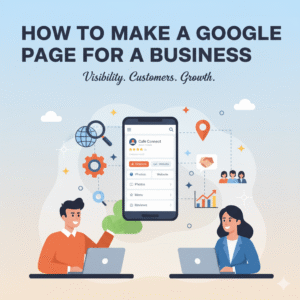
How to Make a Google Page for a Business in 2025 (The “Video Verification” Guide)
If you run a local business or freelance agency, your website is not your most important asset—your Google Business Profile (GBP) is.
When a customer searches for “plumber near me” or “web designer in [City],” they don’t usually click on websites. They look at the “Map Pack”—the three business listings that appear at the top of Google with star ratings and phone numbers.
If you are not there, you are invisible.
Learning how to make a Google page for a business is the fastest, zero-cost way to get leads. However, in 2025, Google has made the setup process stricter to fight spam. The old “postcard” verification method is dying; the new “Video Verification” is the standard.
This guide will walk you through exactly how to make a Google page for a business, avoid the “Suspended” status, and pass the tricky new video verification test.
Step 1: The “Hidden Address” Decision
Crucial for Freelancers and Home-Based Businesses.
Before you type a single word, you must decide: Are you a Storefront or a Service Area?
- Storefront: You have a shop where customers walk in (e.g., Cafe, Salon). You must show your address.
- Service Area Business (SAB): You work from home and go to clients (e.g., Plumber, Freelance Consultant). You must hide your address.
Warning: If you are a freelancer working from your living room and you display your home address on Google Maps, Google will likely suspend your listing. When you set up your profile, select “No” when asked if you have a location customers can visit. This creates a “Service Area” profile that ranks locally without exposing your home privacy.
Step 2: Creating the Profile
Do this on your phone, not your laptop.
Google now encourages managing profiles directly through the Google Maps app.
- Log into the Google account you want associated with the business.
- Open Google Maps and search for your business name.
- If it doesn’t exist, select “Add your business.”
- Category is King: Be specific. Don’t just choose “Consultant.” Choose “Marketing Consultant” or “Web Designer.” This primary category influences your ranking more than anything else.
Pro Tip: Once your page is live, you need to track if people are actually finding it. Read our guide on How to Check Website Traffic for Free to understand how to measure your local visibility vs. your website clicks.
Step 3: Passing “Video Verification” (The 2025 Hurdle)
Most guides skip this, but it is where everyone gets stuck.
Google rarely sends postcards anymore. They now ask for a continuous video recording to prove you are a real business. Many people fail this 3 or 4 times.
How to Pass the Video Verification:
- The “Key” Shot: Do not just film your laptop. Google wants to see you unlocking the door or car.
- The Tools: If you are a freelancer, film your branded equipment (e.g., a laptop with your logo sticker, your business cards, or your vehicle).
- The Environment: Film the street sign outside your house/office to prove the location matches the address you entered (even if the address is hidden publicly, Google needs to know it’s real).
- One Take: The video must be unedited. Walk from the street, unlock the door, and show your workspace in one continuous shot.
Step 4: Optimization & “N.A.P.” Consistency
Ranking in the top 3.
Once verified, you need to climb the rankings. The secret is N.A.P. (Name, Address, Phone Number).
- Ensure your Name, Address, and Phone number on Google match exactly what is on your website and social media.
- If your website says “Main St.” and Google says “Main Street,” it can hurt your ranking.
Photos Matter: Profiles with 100+ photos get 500% more calls. You don’t need a photographer.
Resource: Check out the Best Tools for Content Creators and Freelancers in 2025 to find free apps that help you edit professional photos of your workspace or products using just your phone.
Step 5: Reputation Management
Protecting your asset.
Once you learn how to make a Google page for a business, the public can review you. Usually, this is great. Sometimes, it is unfair.
- The Strategy: Respond to every review. It shows Google you are active.
- The Fix: If you get a fake review (spam or harassment), do not panic. We have a specific guide on How to Remove a Google Review from Your Business that walks you through the legal way to delete spam.
Bonus: Turn This Into a Revenue Stream
Monetize your new skill.
Millions of small business owners (mechanics, bakers, dentists) have no idea how to set this up. They are great at their jobs but terrible at tech.
Once you master this process, you can charge businesses $300–$500 just to set up and verify their profile.
Next Step: If this sounds like a business idea you want to pursue, read our full guide on How to Sell SEO Services. It explains how to bundle “Google Business Setup” into a monthly recurring income package.
Final Thoughts
Knowing how to make a Google page for a business is a foundational skill in the 2025 digital economy. It is the difference between being a “hidden gem” and a “market leader.”
Don’t rush the verification video. Take your time, ensure your data is consistent, and treat your Google Profile like a second website, because for many local customers, it’s the only one they will ever look at.