
How to Check Website Traffic for Free in 2025 (The “No-Cost” Toolkit)
Most beginners think “Website Traffic” just means “Google Analytics.”
But in 2025, relying solely on Google Analytics is dangerous. With the rise of Ad Blockers and privacy laws (GDPR), Google Analytics often misses up to 30% of your actual visitors.
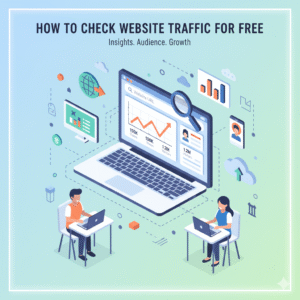
If you want the real numbers, including the visitors who block trackers; you need a “Full-Stack” approach. Learning how to check website traffic for free isn’t just about installing one plugin; it’s about triangulating data from three different sources: The Browser, The Server, and The Search Engine.
This guide will show you the professional way to monitor your traffic without spending a dime on expensive tools like Ahrefs or Semrush.
Level 1: The “Search Engine” View (Google Search Console)
Best for: Seeing exactly what keywords brought people to your site.
If you only install one tool, make it Google Search Console (GSC). Unlike Google Analytics (which tracks users), GSC tracks Google itself. It tells you exactly how many times Google showed your site to a user and how many clicked.
- How to set it up:
- Go to Google Search Console.
- Add your domain (e.g.,
yourbusiness.com). - Verify it by adding a TXT record to your DNS (don’t worry, your host has a guide for this).
- What to look for:
- Impressions: How many people saw your site in search results.
- CTR (Click-Through Rate): If you have high impressions but low clicks, your title tag is boring. Rewrite it.
- (Need help getting ranked? Read our guide on How to Make a Google Page for a Business to boost your local visibility).
Level 2: The “User Behavior” View (Google Analytics 4)
Best for: Seeing what people DO once they arrive.
Google Analytics 4 (GA4) is the industry standard, but it can be overwhelming. You don’t need to know every feature. You just need to know how to filter out the “Noise.”
- The “Bot” Problem:
- Bots (automated programs) scan your site constantly. They look like visitors, but they aren’t.
- Pro Tip: In GA4, go to Admin > Data Settings > Data Collection and ensure “Google signals data collection” is turned on. This helps filter out some bot traffic automatically.
- The Metric that Matters:
- Ignore “Bounce Rate.” In 2025, focus on “Engagement Rate.” This tells you the percentage of people who actually stayed on your site for more than 10 seconds.
Level 3: The “Server-Side” Truth (Awstats)
The “Insider” Secret most bloggers don’t know.
What if I told you that 20% of your visitors use Ad Blockers that block Google Analytics completely? You are flying blind.
To see these “Invisible Visitors,” you need to look at your Server Logs.
- The Tool: Awstats.
- Where to find it: It is pre-installed on almost every web host (Bluehost, SiteGround, HostGator).
- Log into your cPanel (Hosting Dashboard).
- Search for “Metrics” or “Awstats.”
- Click your domain.
- Why it’s powerful: It counts every single request to your server. It shows you the “Raw” traffic data that Google Analytics can’t see. It is the most accurate “truth” about how busy your site actually is.
Level 4: Spying on Competitors (Similarweb)
Best for: Benchmarking your growth.
Sometimes you don’t want to check your traffic; you want to check theirs.
- The Tool: Similarweb (Free Chrome Extension).
- How to use it:
- Install the extension.
- Go to a competitor’s site.
- Click the icon. It will show you their estimated monthly visits and, crucially; where their traffic comes from (e.g., 50% from Google, 20% from Facebook).
- The Strategy: If you see they get 80% of their traffic from Pinterest, stop wasting time on LinkedIn and start using Pinterest.
- (Want to turn this data into a service? Check out How to Sell SEO Services to learn how to package competitor analysis into a paid audit).
How to Interpret the Data (Don’t Just Stare at Graphs)
Data is useless without action. Here is a 3-step routine to use once a month:
- Check GSC for “Declining” Content: Filter by “Last 28 Days” vs “Previous Period.” If a top article lost traffic, update it with fresh info.
- Check GA4 for “High Exit” Pages: Identify pages where people leave immediately. Add a better “Call to Action” or a video to keep them engaged.
- Check Awstats for “Bandwidth Hogs”: If your traffic is high but sales are low, check if it’s just image-scraping bots using up your server resources.
Final Thoughts
Learning how to check website traffic for free is the first step in treating your website like a business, not a hobby.
Don’t obsess over daily numbers. Traffic fluctuates. Look for trends. Is the line going up over 3 months? That is all that matters.
Start by installing Google Search Console today. It is the only tool that lets you communicate directly with the search engine that decides your fate.